GUARDIAN REQUIRED
Our patented Guardian Required feature alerts drivers when a parent/guardian must be present at a student's afternoon drop-off stop before unloading.
Here's how it works:
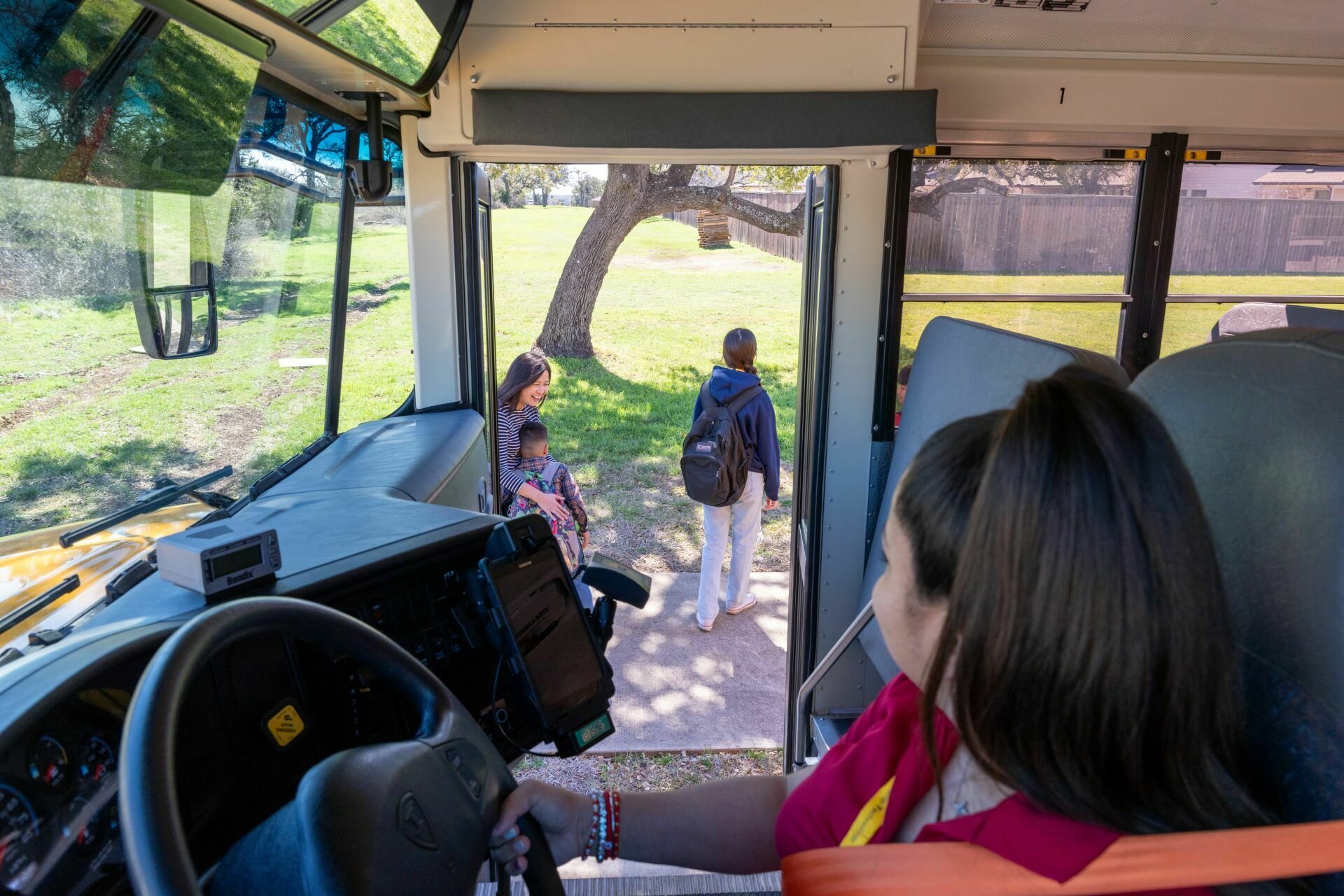
Students scanning off the bus who require a guardian will have this driver prompt.
GUARDIAN REQUIRED sCREEN
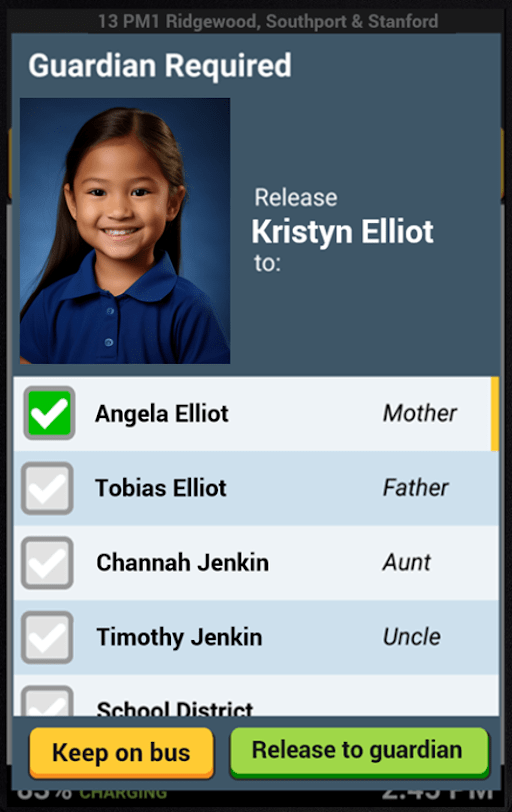
After verifying the authorized guardian, check the box next to their name.
Districts have the option to enable a feature where the parents' phone numbers are accessible from the guardian release window and the student's profile.

After selecting the authorized guardian, check the green "Release to guardian" button to unload the student off the bus.
GUARDIAN REQUIRED sCREEN
If an authorized guardian is not at the student's stop, tap the yellow "Keep on bus", and ask the student to take their seat. Then follow the school district's policy.

Look up guardians by tapping the student's blue profile button.
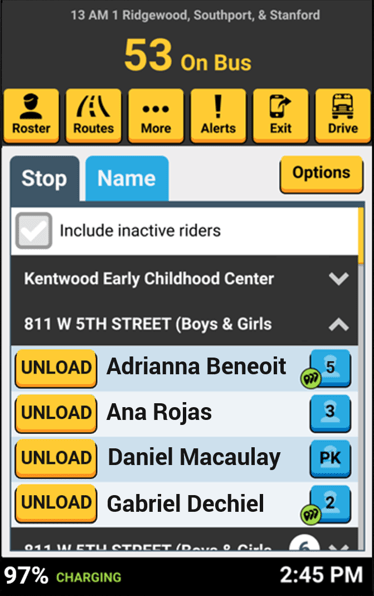
GUARDIAN look up
To see a list of guardians for this student, tap the blue "Guardians" button.
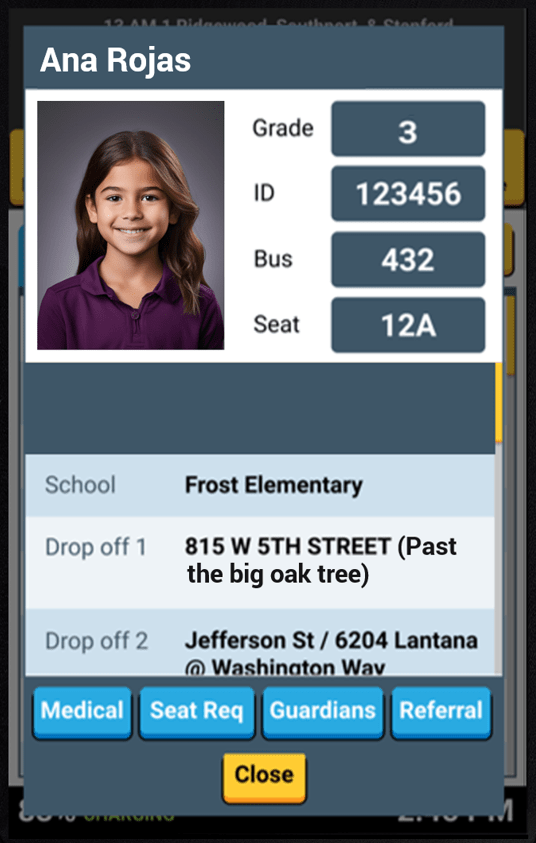
student profile screen
The student's list of guardians is displayed, including their relationship to the student.
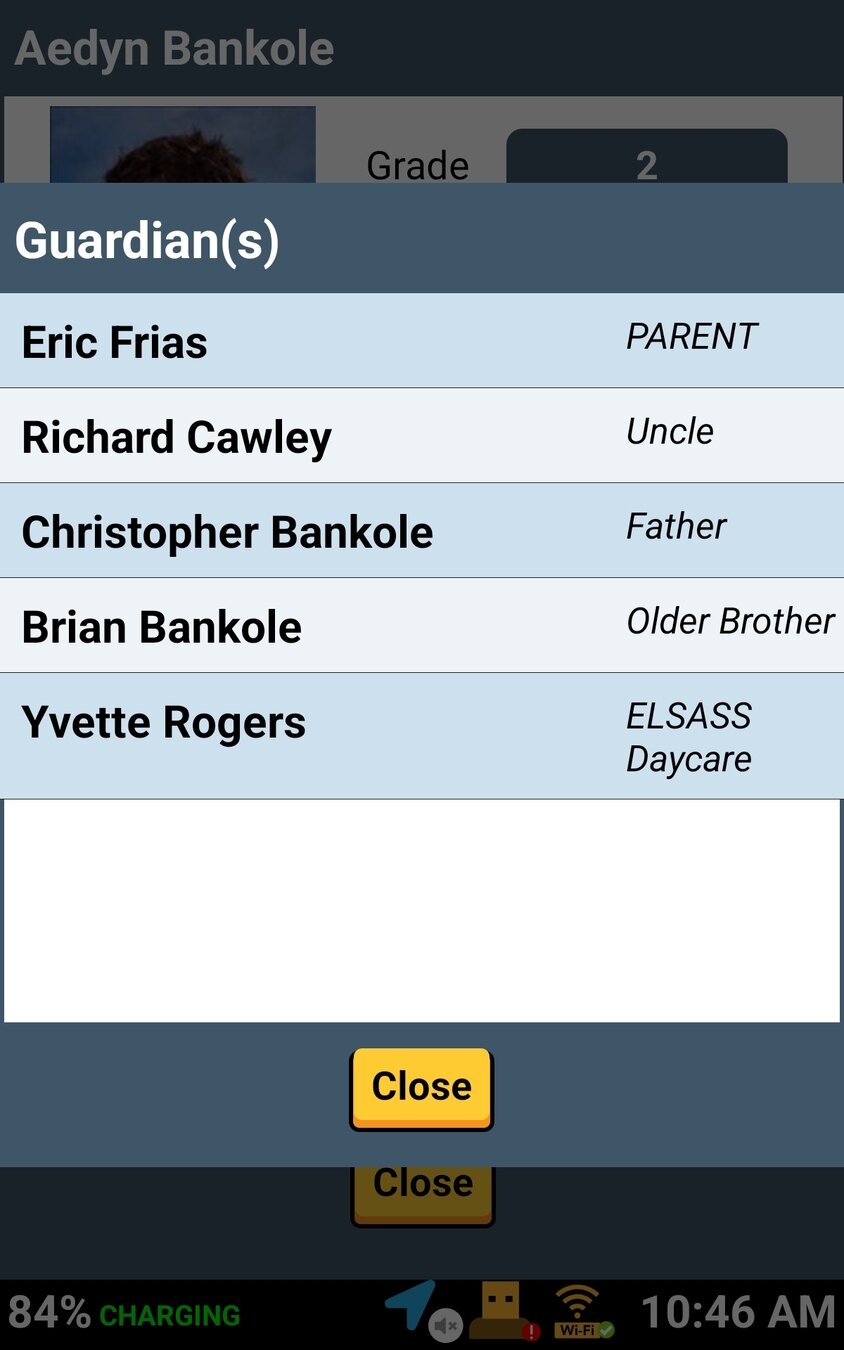
Guardian(s) List

That's it!
Head back to the tutorials page to learn about the Driver App.
5.1 Guardian Required - Alerts During Your Routes
By SMART tag™